Überblick
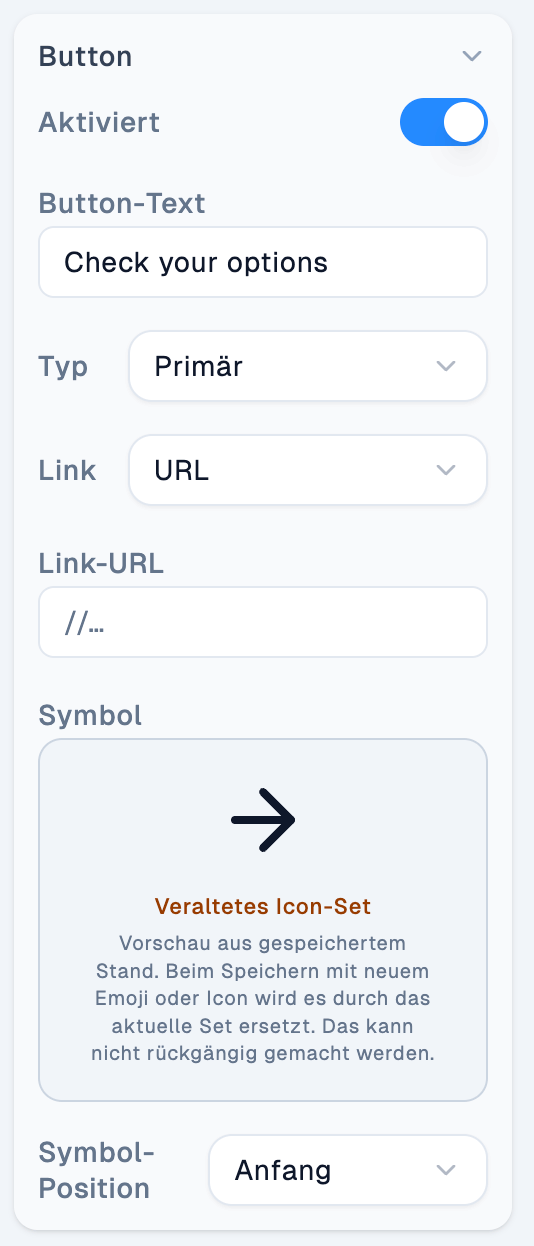
Viele Blöcke enthalten einen oder mehrere Buttons. Die Konfiguration ist bei allen Buttons gleich aufgebaut.
Documentation Index
Fetch the complete documentation index at: /llms.txt
Use this file to discover all available pages before exploring further.
Buttons innerhalb eines Blocks konfigurieren.

| Einstellung | Beschreibung |
|---|---|
| Aktiviert | Blendet den Button ein oder aus. |
| Button-Text | Der auf dem Button angezeigte Text. |
| Typ | Primär, Sekundär oder Text – reine Optik, keine Auswirkung auf die Funktion des Buttons. |
| Link | Ziel des Buttons: URL (verweist auf eine externe oder interne Adresse) oder Abschnitt (verweist auf einen Abschnitt innerhalb der Landing Page). |
| Link-URL | Die Ziel-URL, wenn bei Link “URL” ausgewählt ist. |
| Symbol | Optionales Icon auf dem Button. |
| Symbol-Position | Ob das Symbol vor oder nach dem Button-Text angezeigt wird. |